To change the screen resolution with Windows (except Vista):
1. right-hand click on the desktop
2. click on properties
3. go to settings
4. change the screen resolution to 1024 by 768 pixels
5. click ok.

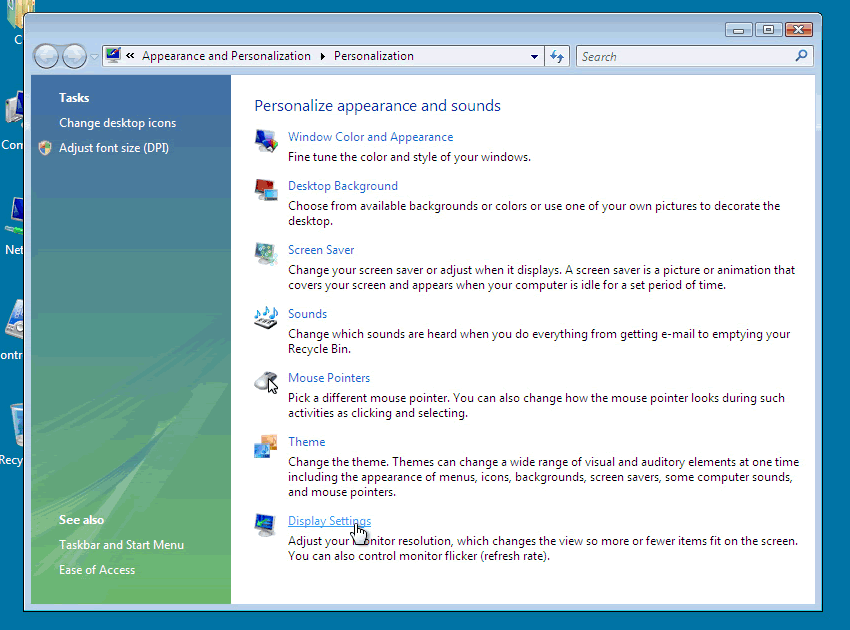
To change the screen resolution with Windows Vista:
1. right-hand click on the desktop
2. click on 'Personalize'
3. go to 'Personalize dialog'
4. click 'Display Settings'
5.change the screen resolution to 1024 by 768 pixels click ok.


How to change the screen resolution in Mac OS X
- 1. Open the System Preferences (either from the Dock or from the Apple menu).
- 2. Open the Displays Panel and choose the Display tab.
- 3. On the left of the Displays tab you can select one of the Resolutions from the list. Higher resolutions allow you to see more “stuff”. It is recommending at least 1024x768 unless you have a specific reason to use a lower resolution.
- 4. Quit or close the System Preferences when done.
Notes:
- At higher resolutions, you may not be able to see as many colors (Thousands instead of Millions).
- Flat panel monitors have a prefered resolution. If you set the display lower or higher, the display will be noticably more blurry. The prefered resolution should be noted in your display manual. For example, the new 17 inch Apple Studio Display (flat panel) is most crisp at 1280x1024.
back